Immobilien & Verwaltung6 Min Lesezeit

Transfer Agreement Template – Hand Over Furniture & Fixtures Securely

With our digital transfer agreement template, previous and next tenants can quickly and securely arrange the takeover of furniture, kitchens, and fixtures. Document the condition of the items directly on-site and prevent subsequent disputes during the apartment handover.

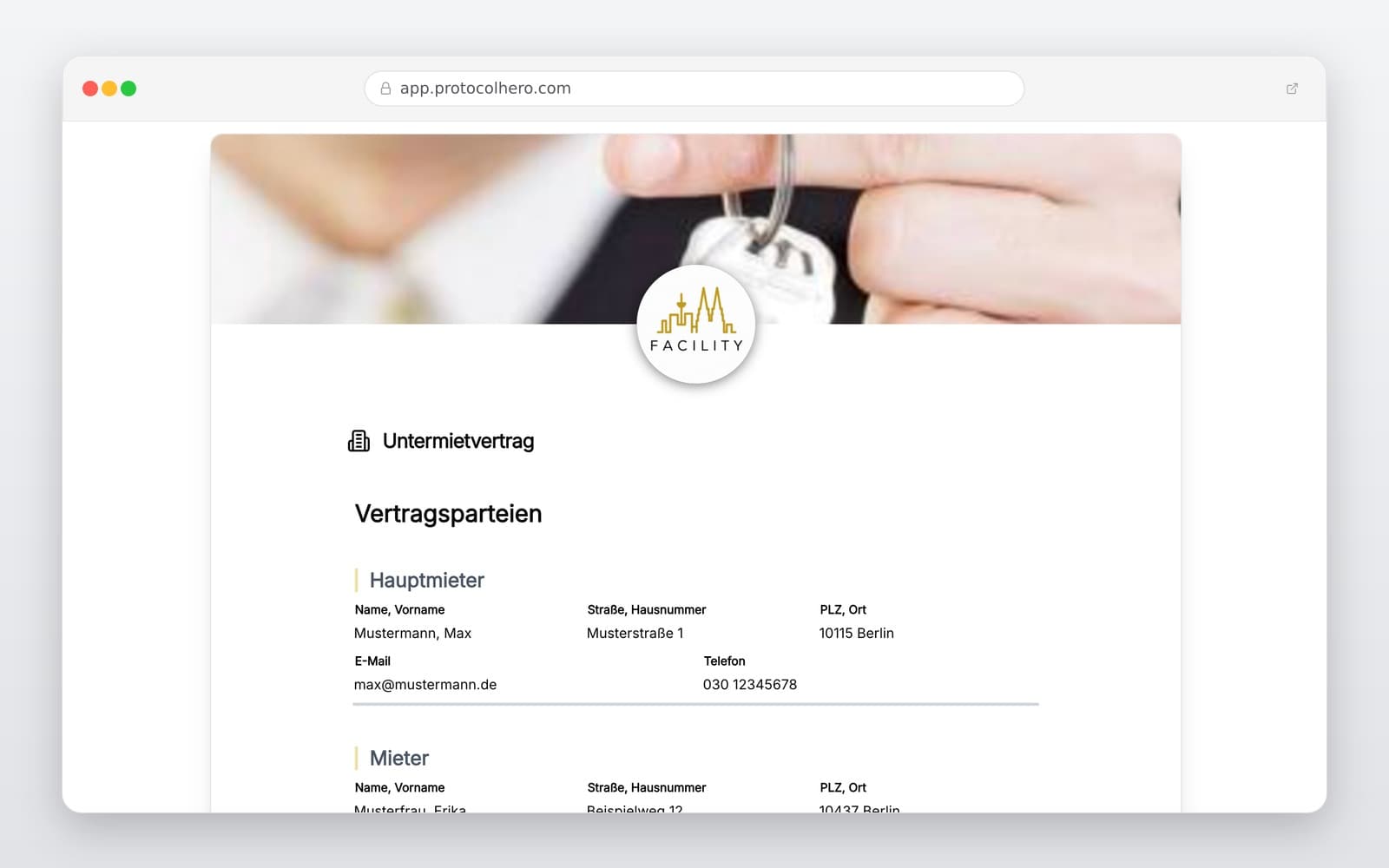
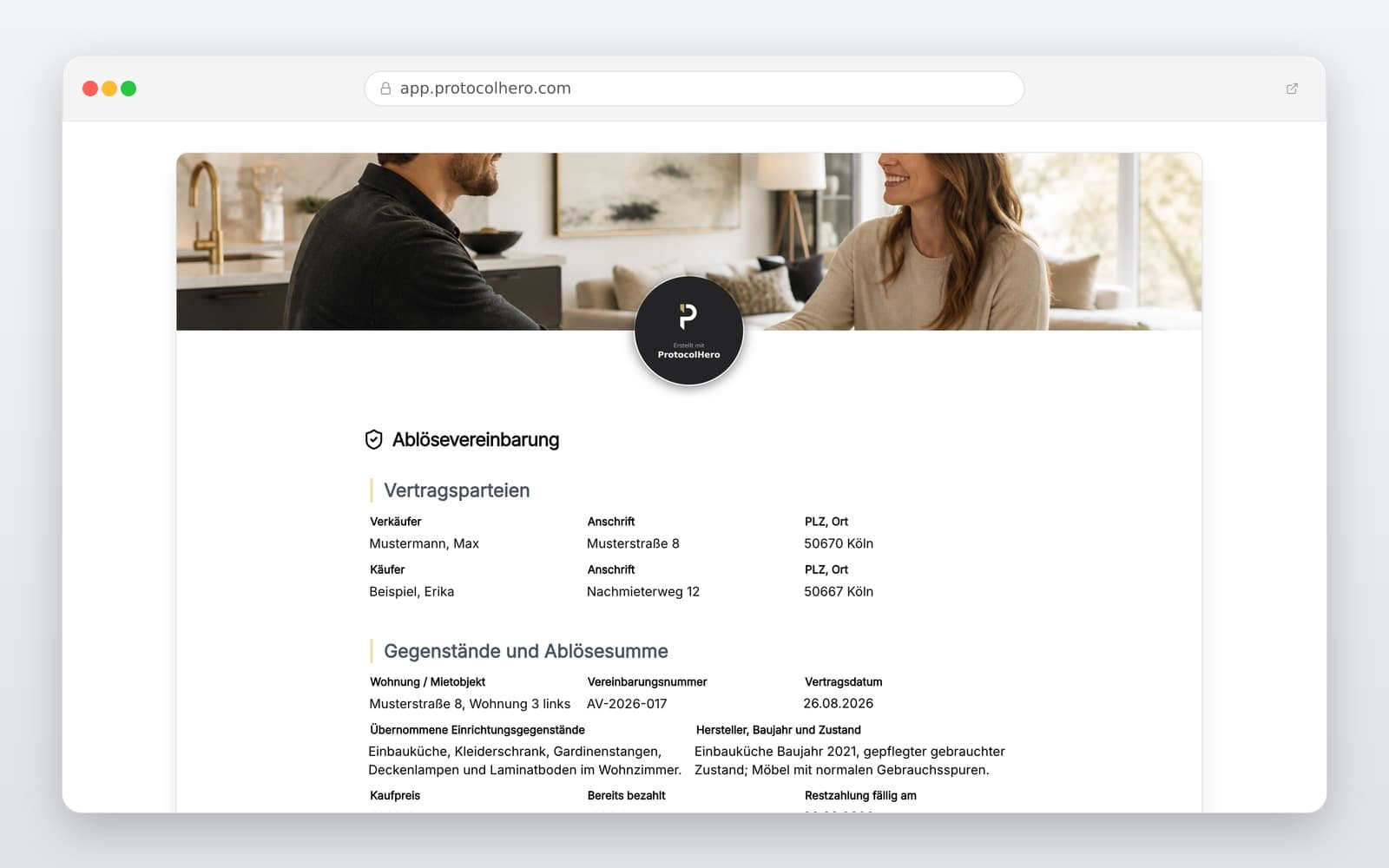
Preview of the “Transfer Agreement Template – Hand Over Furniture & Fixtures Securely” template
Create free account
Inhalt der Vorlage

What is Included in the Transfer Agreement?

Registration of the contracting parties (previous and next tenant)

Detailed description of the apartment and rooms

Comprehensive list of all transferred items and furniture

Condition description and photo documentation of installations

Agreed transfer price (current value) and payment terms

Handover date and transfer of liability

Legally binding digital signatures of all parties

Live form

Fill out this template directly in the browser

No install needed — complete the form below, attach photos, and submit. Create a free account anytime to save and reuse your own templates.

Fill Out Your Transfer Agreement Digitally Now

Create your legally compliant handover protocol, including an inventory list, directly on your smartphone or tablet – try it for free!

Why a Written Transfer Agreement is Essential

When changing tenants, agreements are often made regarding the takeover of fitted kitchens, carpets, or custom-made furniture. Without a written transfer agreement, both parties risk significant legal disadvantages. A clear agreement creates transparency about the condition of the items and the agreed price.

This is particularly important for both previous and next tenants to avoid subsequent disputes regarding defects or the actual functionality of appliances. It also provides security for landlords and property managers, as it clearly defines who is responsible for removal or maintenance.
Avoid Common Mistakes in Transfer Agreements

Many contracts fail due to imprecise wording or legal limits. A common mistake is agreeing on an disproportionately high transfer price. Under German tenancy law, the transfer price must not exceed the actual value of the items by more than 50 percent (usury limit).

Additionally, you should ensure that the contract is subject to the condition subsequent that the lease agreement with the landlord is actually concluded. If the lease is not signed, the transfer agreement is generally invalid.

  • Do not set excessive prices (maximum 50% above the current fair value).
  • Link the agreement to the successful conclusion of the main lease.
  • Detail the condition and any potential defects carefully.

Digital vs. Paper: Why Digital Documentation is Superior

Traditional paper templates quickly reach their limits: photos of the fitted kitchen cannot be embedded directly, and handwritten notes are often illegible. With ProtocolHero, you digitalize the entire process directly on-site using your smartphone.

You can insert high-resolution photos of the furniture directly into the protocol, rate the condition with a single click, and have the agreement digitally signed immediately. The completed PDF is automatically sent to all parties and securely archived in the cloud. Find more templates at https://www.protocolhero.com/vorlagen.

Häufige Fragen

Fragen zur Vorlage „Transfer Agreement Template"

Mehr als eine Vorlage

Was ProtocolHero zusätzlich für dich übernimmt

Eine Vorlage allein ist erst der Anfang – ProtocolHero macht aus jedem Protokoll einen durchgängigen digitalen Workflow mit KI-Unterstützung, Workflow-Freigaben und revisionssicherem Archiv.

HERO Assistant – KI-Chat für Dokumentenerstellung

Der HERO Assistant ist der eingebaute KI-Chat von ProtocolHero. Du kannst per Spracheingabe ein komplettes Dokument anlegen lassen oder ein bestehendes PDF, Foto oder Word-Dokument hochladen – die KI liest die Struktur aus und baut eine wiederverwendbare Vorlage daraus.

Auto-Fill aus Sprache, Foto und Datei

Beim Ausfüllen kannst du das Dokument per Sprachsteuerung diktieren – die KI ordnet die Inhalte automatisch den richtigen Feldern zu. Oder du lädst Fotos, Scans, Verträge, Datenblätter oder Ausweise hoch: Der HERO Assistant extrahiert die Daten und befüllt das Formular vor – du prüfst und unterschreibst.

Foto- und Video-Upload direkt im Dokument

Zu jedem Bauteil, Messpunkt oder Schadensbild kannst du Fotos und Videos direkt aus der App anhängen. Videos sind besonders nützlich, wenn ein Schadensbild dynamisch ist – ein einzelnes Standbild würde den Befund nicht ausreichend dokumentieren.

Kommentare als Aufgaben – intern und mit dem Kunden

Jede Position im Dokument kann kommentiert und als Aufgabe an einen Kollegen, an dich selbst oder direkt an den Kunden zugewiesen werden. Kommentare können wahlweise rein intern bleiben oder im freigegebenen Kundenlink mitgeteilt werden.

Workflow: Bearbeiter zuweisen, Prüfer freigeben

Dokumente lassen sich an Kollegen weiterleiten und können einen festen Prüfer haben, der die letzte fachliche Freigabe erteilt, bevor das Dokument unterschrieben oder an den Kunden geht.

Activity-Log für lückenlose Nachvollziehbarkeit

Jedes Dokument hat einen vollständigen Aktivitäts-Verlauf: Wer hat wann was geändert, kommentiert, hochgeladen, freigegeben, unterschrieben. Das Log ist auf Wunsch auch im Kunden-Freigabelink sichtbar – ideal für Auditoren, Versicherer und Kunden.

Eindeutige Protocol-ID je Dokument

Jedes Dokument bekommt automatisch eine eindeutige Protocol-ID, mit der es sich zweifelsfrei referenzieren, verlinken und im Audit-Trail wiederfinden lässt.

Automatische Berichts-Nummerierung

Neu

Fortlaufende, lückenlose Berichts-Nummern (z. B. Protokoll-2026-001, 002, 003 …) je Dokumenttyp und Kunde – ohne manuelles Vergeben, ohne Dubletten.

Web-Formular & Inbox

Neu

Vorlagen lassen sich als öffentliches Web-Formular auf der eigenen Website einbinden – ein ausgefülltes Dokument landet automatisch in deiner ProtocolHero-Inbox zur Weiterbearbeitung.

QR-Code-Etiketten für Anlagen und Bauteile

Neu

QR-Code-Etiketten pro Anlage, Bauteil oder Abschottung, die beim Scannen direkt das hinterlegte Protokoll, die Historie und alle Wartungs- bzw. Prüfdokumente öffnen.

347 × genutzt

Diese Vorlage in 2 Minuten selbst nutzen

Vorlage übernehmen, an deinen Betrieb anpassen und direkt vor Ort ausfüllen – kostenlos testen, keine Kreditkarte nötig.