Handwerk & Bau7 Min Lesezeit

Daily Construction Report Template

Accurate and seamless documentation protects construction companies and contractors. With our digital daily construction report template, you can record all key events, labor hours, weather conditions, and construction progress directly on-site. Save valuable office hours and ensure clear proof of your work.

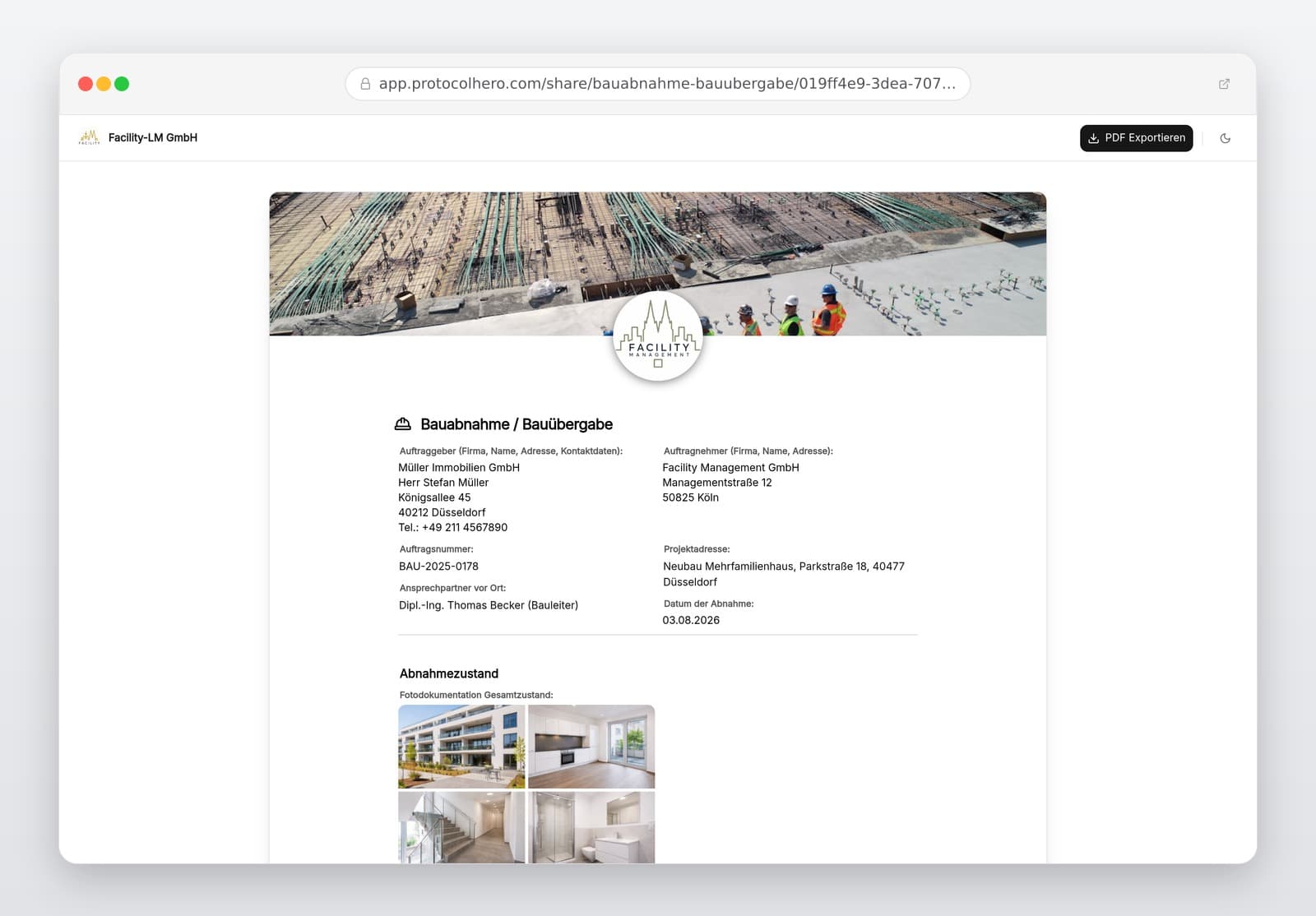
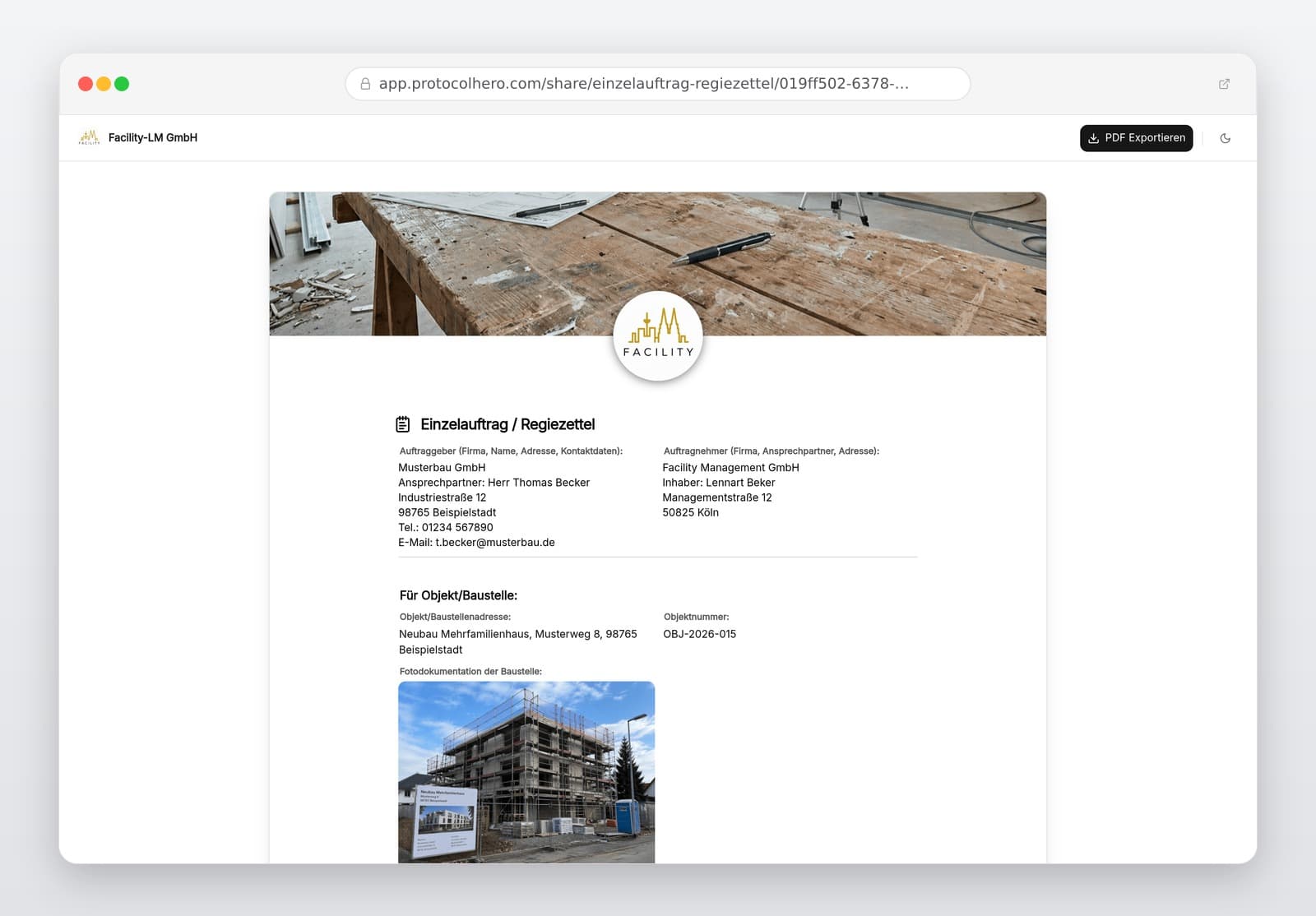
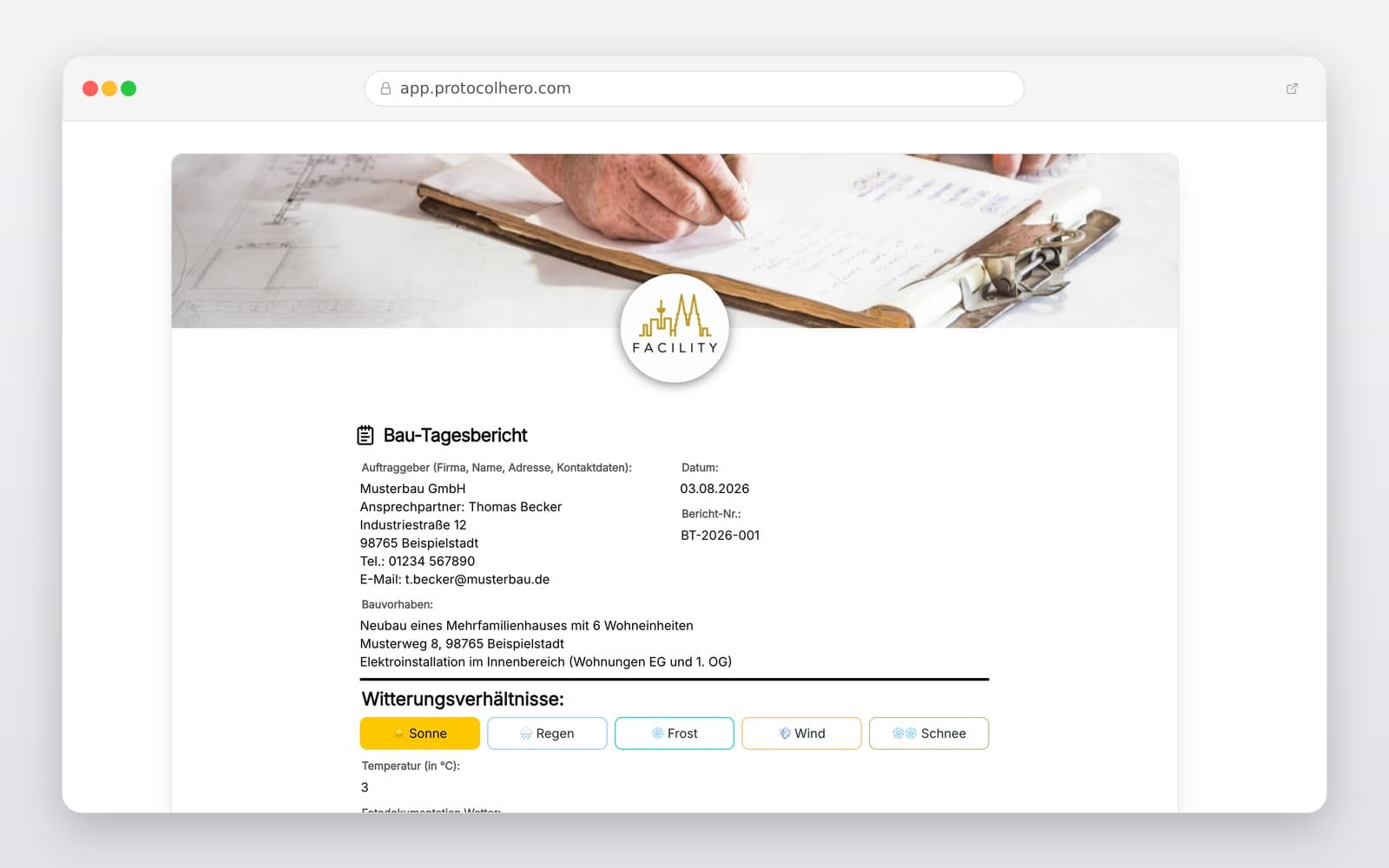
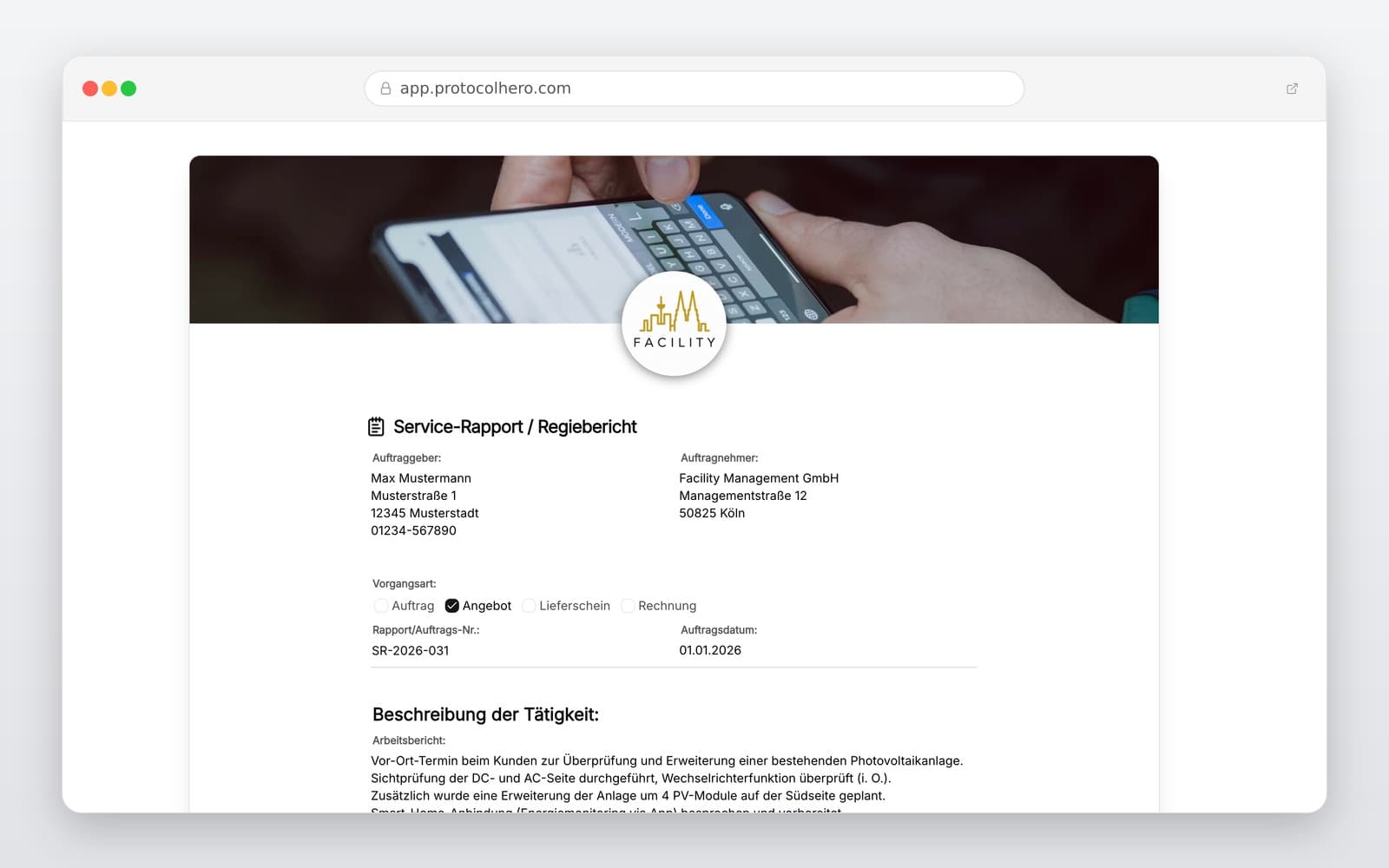
Preview of the “Daily Construction Report Template” template
Create free account
Inhalt der Vorlage

What is included in the Daily Construction Report template?

Project details, construction site, client, and contractor information

Date, working hours, and weather conditions (precipitation, temperature)

Deployed staff, active subcontractors, and participating trades

Completed tasks, current construction progress, and achievements

Machinery used, major equipment, and key material deliveries

Documentation of delays, disruptions, and special occurrences

Photo documentation mapped to specific tasks and areas

Remarks, supervisor review, and digital sign-off

Live form

Fill out this template directly in the browser

No install needed — complete the form below, attach photos, and submit. Create a free account anytime to save and reuse your own templates.

Fill Out Daily Construction Reports Directly On-Site

Record labor, weather, photos, and progress on your mobile device. Try ProtocolHero for free today.

What Belongs in a Professional Daily Construction Report?

A daily construction report provides a detailed record of everything that occurred on a construction site on a specific workday. Vague entries like 'worked on site' are insufficient in case of disputes. Instead, the goal is to document actual processes clearly and traceably.

Especially on long-term projects, it is nearly impossible to recall weeks or months later which tasks were performed on a specific day. Regular, structured documentation establishes a reliable reference point for all parties involved.

Key elements of a comprehensive daily report include:

  • Clear identification of the project and construction site
  • Date and exact start and end times of the work
  • Weather conditions and temperatures (critical for weather-sensitive tasks)
  • Number of own staff and active subcontractors on-site
  • Precise description of the executed works and site areas
  • Heavy machinery, equipment utilized, and major material deliveries
  • Special occurrences, delays, or work disruptions
  • High-quality photos documenting the day's progress
Daily Construction Report vs. Site Journal: What's the Difference?

Although both terms are often used interchangeably on-site, there are technical and contractual differences that contractors should be aware of.

The daily construction report focuses on a single workday from the perspective of the performing contractor or local site manager. It serves as proof of daily labor, staffing, and weather impacts.

The site journal (or project log), on the other hand, documents the entire construction project comprehensively over its whole lifecycle. It is usually maintained by the architect or overall project manager and contains additional details like plan amendments, official inspections, meeting minutes, and contract-relevant instructions. The ProtocolHero template is specifically optimized as a daily report to keep the daily entry effort as low as possible.

Avoiding Common Pitfalls in Site Documentation

Paper chaos, incomplete notes, and late reconstructions often lead to misunderstandings and financial losses in the crafts and construction sectors. Common mistakes include filling out reports days later, using overly vague task descriptions, and omitting specific site areas.

Instead of writing 'masonry work done', the report should state: 'Masonry work 1st floor, north exterior wall, axis 2–5 completed.'

Similarly, 'work paused due to weather' is too vague. Better: 'Outdoor work suspended from 1:30 PM to 3:15 PM due to heavy rainfall.' The more specific the documentation, the easier it is to resolve future inquiries.

  • Filling out daily reports days later from memory
  • Vague descriptions of executed works and affected site areas
  • Failing to record the number of active employees or subcontractors
  • Omitting weather-related work stoppages and their specific impacts
  • Taking photos without context or mapping them to a specific task
  • Scattering daily reports across paper sheets, Excel files, and chat messages

Daily Reports as a Basis for Future Evidence

A detailed daily construction report helps to capture actual workflows and events promptly, making them easy to trace during later reviews. Especially when dealing with change orders, scope disputes, or defect assessments, seamless daily reports are an invaluable source of information.

Please note: While a daily report documents the factual situation and delays, it does not automatically replace formal, written notices of delay required under standard construction contracts (such as VOB/B in Germany). Our template helps you secure the necessary facts early so you have all proofs ready when needed.

Filling Out Daily Reports Digitally on the Construction Site

With ProtocolHero, tedious paperwork is a thing of the past. Site managers or foremen can open the daily construction report directly on a smartphone or tablet, record weather and staffing with a few taps, take progress photos, and sign off on the report digitally right on-site.

This eliminates the time-consuming step of transferring handwritten notes and smartphone photos into Excel sheets or PDFs back at the office. All data is securely stored in one place and clearly assigned to the respective project.

Häufige Fragen

Fragen zur Vorlage „Daily Construction Report Template"

Mehr als eine Vorlage

Was ProtocolHero zusätzlich für dich übernimmt

Eine Vorlage allein ist erst der Anfang – ProtocolHero macht aus jedem Protokoll einen durchgängigen digitalen Workflow mit KI-Unterstützung, Workflow-Freigaben und revisionssicherem Archiv.

HERO Assistant – KI-Chat für Dokumentenerstellung

Der HERO Assistant ist der eingebaute KI-Chat von ProtocolHero. Du kannst per Spracheingabe ein komplettes Dokument anlegen lassen oder ein bestehendes PDF, Foto oder Word-Dokument hochladen – die KI liest die Struktur aus und baut eine wiederverwendbare Vorlage daraus.

Auto-Fill aus Sprache, Foto und Datei

Beim Ausfüllen kannst du das Dokument per Sprachsteuerung diktieren – die KI ordnet die Inhalte automatisch den richtigen Feldern zu. Oder du lädst Fotos, Scans, Verträge, Datenblätter oder Ausweise hoch: Der HERO Assistant extrahiert die Daten und befüllt das Formular vor – du prüfst und unterschreibst.

Foto- und Video-Upload direkt im Dokument

Zu jedem Bauteil, Messpunkt oder Schadensbild kannst du Fotos und Videos direkt aus der App anhängen. Videos sind besonders nützlich, wenn ein Schadensbild dynamisch ist – ein einzelnes Standbild würde den Befund nicht ausreichend dokumentieren.

Kommentare als Aufgaben – intern und mit dem Kunden

Jede Position im Dokument kann kommentiert und als Aufgabe an einen Kollegen, an dich selbst oder direkt an den Kunden zugewiesen werden. Kommentare können wahlweise rein intern bleiben oder im freigegebenen Kundenlink mitgeteilt werden.

Workflow: Bearbeiter zuweisen, Prüfer freigeben

Dokumente lassen sich an Kollegen weiterleiten und können einen festen Prüfer haben, der die letzte fachliche Freigabe erteilt, bevor das Dokument unterschrieben oder an den Kunden geht.

Activity-Log für lückenlose Nachvollziehbarkeit

Jedes Dokument hat einen vollständigen Aktivitäts-Verlauf: Wer hat wann was geändert, kommentiert, hochgeladen, freigegeben, unterschrieben. Das Log ist auf Wunsch auch im Kunden-Freigabelink sichtbar – ideal für Auditoren, Versicherer und Kunden.

Eindeutige Protocol-ID je Dokument

Jedes Dokument bekommt automatisch eine eindeutige Protocol-ID, mit der es sich zweifelsfrei referenzieren, verlinken und im Audit-Trail wiederfinden lässt.

Automatische Berichts-Nummerierung

Neu

Fortlaufende, lückenlose Berichts-Nummern (z. B. Protokoll-2026-001, 002, 003 …) je Dokumenttyp und Kunde – ohne manuelles Vergeben, ohne Dubletten.

Web-Formular & Inbox

Neu

Vorlagen lassen sich als öffentliches Web-Formular auf der eigenen Website einbinden – ein ausgefülltes Dokument landet automatisch in deiner ProtocolHero-Inbox zur Weiterbearbeitung.

QR-Code-Etiketten für Anlagen und Bauteile

Neu

QR-Code-Etiketten pro Anlage, Bauteil oder Abschottung, die beim Scannen direkt das hinterlegte Protokoll, die Historie und alle Wartungs- bzw. Prüfdokumente öffnen.

491 × genutzt

Diese Vorlage in 2 Minuten selbst nutzen

Vorlage übernehmen, an deinen Betrieb anpassen und direkt vor Ort ausfüllen – kostenlos testen, keine Kreditkarte nötig.