Brandschutz6 Min Lesezeit

Lift Attendant Visual Inspection Template: Digital Operator Control

Perform regular operator controls of your elevator systems quickly and seamlessly via smartphone or tablet. Our digital template for the lift attendant visual inspection helps you detect obvious defects immediately, attach photos directly, and document everything securely. Perfect for property managers, facility managers, and appointed persons.

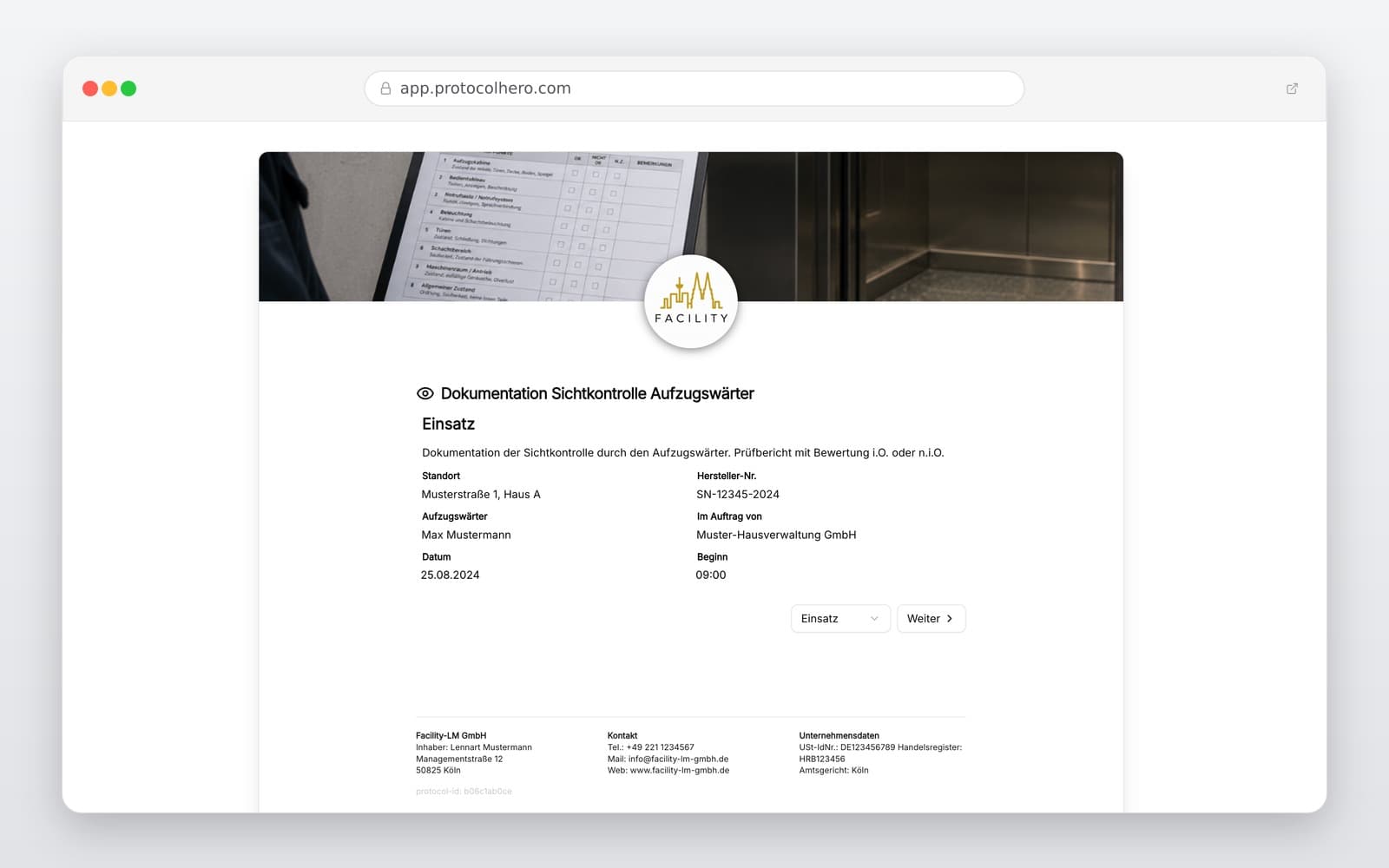
Preview of the “Lift Attendant Visual Inspection Template: Digital Operator Control” template
Create free account
Inhalt der Vorlage

What is included?

Property, operator, and elevator master data

Date of visual inspection and details of the appointed person

Inspection of access routes, elevator car, shaft, and car doors

Testing of door functions and leveling accuracy

Inspection of lighting and visible physical damage

Functional check of the emergency call/two-way communication system

Documentation of identified defects and required corrective measures

Completion of the visual inspection with results, remarks, and signature

Live form

Fill out this template directly in the browser

No install needed — complete the form below, attach photos, and submit. Create a free account anytime to save and reuse your own templates.

Digitize Your Elevator Inspections Instantly

Try ProtocolHero for free and start completing your lift attendant protocols digitally today.

What Does a Lift Attendant Visual Inspection Involve?

The regular operator control is not a full-scale technical elevator inspection. Its primary purpose is to identify obvious defects and functional errors early before they can impair the safe operation of the elevator. Under German regulations (such as BetrSichV Annex 1 No. 4.6 and TRBS 3121), regular checks for obvious defects are mandatory for operators. The designated person performing these checks is commonly referred to as the lift attendant (Aufzugswärter).

The regulations strongly recommend documenting these checks and their results. Key inspection points include:

  • Clear and safe access routes to the elevator shaft and machine room
  • No foreign objects stored in the machine room
  • The elevator car does not start when the shaft door is open
  • Shaft doors cannot be opened outside the designated unlocking zone
  • The elevator car does not start when the car door is open
  • Sufficient leveling accuracy at each landing
  • Functioning two-way communication system or emergency call button
  • Correct function of the door-open button and safety light barriers
  • Functioning light inside the elevator car
  • No visible mechanical damage to the car, shaft, or door areas
Typical Mistakes in Lift Attendant Inspections

In daily operations, inspections are often carried out but either not documented at all or documented poorly. A quick glance into the car is simply not enough. Typical mistakes include skipping the door safety tests, overlooking leveling inaccuracies, or failing to test the emergency call system. Relaying defects only verbally without a written record also poses high liability risks – especially if a damaged elevator remains in operation despite a potential hazard to passengers.

A vague note like "Elevator checked – all okay" is far less meaningful than a structured check of individual functions. When a defect is found, you must clearly document: Where is the defect located? What exactly was observed? Does it affect safe operation? What action was taken?

Regulations require that identified defects must be reported immediately to the employer or responsible manager. If a defect poses an immediate danger to passengers, the elevator must be shut down and secured immediately.

Differentiating Operator Controls from Statutory Inspections

It is crucial to understand the difference: The regular visual and functional check by an appointed lift attendant is not the same as the statutory inspection required by an approved notified body (ZÜS, e.g., TÜV or DEKRA). The lift attendant visual inspection is a routine operational check focusing on obvious defects and basic functionality.

In contrast, the ZÜS Main Inspection is a comprehensive recurring technical audit of the elevator system, typically required every two years. Between these main audits, a ZÜS Intermediate Inspection is performed to test safety devices and critical components. Therefore, the lift attendant inspection never replaces the official technical inspection; it merely complements it to ensure safety between official audits.

Practical Example and Digital Workflow in Facility Management

Consider this practical scenario: A facility technician performs the regular visual inspection of a passenger elevator in an office building. The access routes are clear, and the lighting and emergency call work perfectly. However, when stopping on the second floor, the technician notices that the elevator car does not stop level with the building floor (poor leveling accuracy).

Using ProtocolHero's digital template, the technician opens the checklist on their smartphone, identifies the elevator, notes the specific landing and defect, attaches a photo, and submits the report. The system automatically notifies the elevator service company. Every step remains fully traceable.

How Often and What Can Be Inspected?

Regulations do not dictate a single universal inspection interval for all elevators. The frequency of operator controls depends on the type, age, and intensity of use of the elevator system. Key factors include operational conditions, manufacturer guidelines, and the building's specific risk assessment. A heavily used elevator in a public train station requires much more frequent checks than a goods lift in a small warehouse.

Additionally, the visual inspection is not maintenance or repair work. Regular operator controls are strictly separated from technical maintenance. The lift attendant is only responsible for identifying and reporting defects early; repairs to safety-critical components must always be carried out by qualified elevator technicians.

Häufige Fragen

Fragen zur Vorlage „Lift Attendant Visual Inspection Template: Digital Operator Control"

Mehr als eine Vorlage

Was ProtocolHero zusätzlich für dich übernimmt

Eine Vorlage allein ist erst der Anfang – ProtocolHero macht aus jedem Protokoll einen durchgängigen digitalen Workflow mit KI-Unterstützung, Workflow-Freigaben und revisionssicherem Archiv.

HERO Assistant – KI-Chat für Dokumentenerstellung

Der HERO Assistant ist der eingebaute KI-Chat von ProtocolHero. Du kannst per Spracheingabe ein komplettes Dokument anlegen lassen oder ein bestehendes PDF, Foto oder Word-Dokument hochladen – die KI liest die Struktur aus und baut eine wiederverwendbare Vorlage daraus.

Auto-Fill aus Sprache, Foto und Datei

Beim Ausfüllen kannst du das Dokument per Sprachsteuerung diktieren – die KI ordnet die Inhalte automatisch den richtigen Feldern zu. Oder du lädst Fotos, Scans, Verträge, Datenblätter oder Ausweise hoch: Der HERO Assistant extrahiert die Daten und befüllt das Formular vor – du prüfst und unterschreibst.

Foto- und Video-Upload direkt im Dokument

Zu jedem Bauteil, Messpunkt oder Schadensbild kannst du Fotos und Videos direkt aus der App anhängen. Videos sind besonders nützlich, wenn ein Schadensbild dynamisch ist – ein einzelnes Standbild würde den Befund nicht ausreichend dokumentieren.

Kommentare als Aufgaben – intern und mit dem Kunden

Jede Position im Dokument kann kommentiert und als Aufgabe an einen Kollegen, an dich selbst oder direkt an den Kunden zugewiesen werden. Kommentare können wahlweise rein intern bleiben oder im freigegebenen Kundenlink mitgeteilt werden.

Workflow: Bearbeiter zuweisen, Prüfer freigeben

Dokumente lassen sich an Kollegen weiterleiten und können einen festen Prüfer haben, der die letzte fachliche Freigabe erteilt, bevor das Dokument unterschrieben oder an den Kunden geht.

Activity-Log für lückenlose Nachvollziehbarkeit

Jedes Dokument hat einen vollständigen Aktivitäts-Verlauf: Wer hat wann was geändert, kommentiert, hochgeladen, freigegeben, unterschrieben. Das Log ist auf Wunsch auch im Kunden-Freigabelink sichtbar – ideal für Auditoren, Versicherer und Kunden.

Eindeutige Protocol-ID je Dokument

Jedes Dokument bekommt automatisch eine eindeutige Protocol-ID, mit der es sich zweifelsfrei referenzieren, verlinken und im Audit-Trail wiederfinden lässt.

Automatische Berichts-Nummerierung

Neu

Fortlaufende, lückenlose Berichts-Nummern (z. B. Protokoll-2026-001, 002, 003 …) je Dokumenttyp und Kunde – ohne manuelles Vergeben, ohne Dubletten.

Web-Formular & Inbox

Neu

Vorlagen lassen sich als öffentliches Web-Formular auf der eigenen Website einbinden – ein ausgefülltes Dokument landet automatisch in deiner ProtocolHero-Inbox zur Weiterbearbeitung.

QR-Code-Etiketten für Anlagen und Bauteile

Neu

QR-Code-Etiketten pro Anlage, Bauteil oder Abschottung, die beim Scannen direkt das hinterlegte Protokoll, die Historie und alle Wartungs- bzw. Prüfdokumente öffnen.

0 × genutzt

Diese Vorlage in 2 Minuten selbst nutzen

Vorlage übernehmen, an deinen Betrieb anpassen und direkt vor Ort ausfüllen – kostenlos testen, keine Kreditkarte nötig.