

Your new team member: Hero Agent
With its own profile, seat, email address and clearly defined permissions, Hero Agent works like a colleague in your workspace — right where the work happens. Your technician sends a photo of the distribution board and a short report from the phone; the agent writes the values into the inspection protocol. In the office it reads the inbox, organises tasks and finishes jobs even when nobody is watching.
Bookable on the Hero and Enterprise plans · Tailored to your business, managed by you · Token usage tracked per workspace
Inspection Agent
AgentConnected · ready to work
Active token · phb_wK2q••••
Tool permissions
Selected by role38 values are unambiguous. I need your confirmation for circuits 17 and 31 before I continue.
Approval required
Submit the completed inspection protocol as final and lock it against later changes.
Around 100 tools
Real actions, not answers
Tailored to you
Own role, never owner
One permission model
Role plus asker ceiling
Connect your AI
Talk to your Hero Agent directly in ProtocolHero or control it through Cursor, Claude, ChatGPT/Codex via MCP. Both paths use the same tools, roles and safeguards.
Your digital team member in the workspace
Send a direct message, @mention it in a channel, in card comments, in the editor or while filling a protocol — or assign it a submission as editor or reviewer. It asks follow-up questions via DM and appears in the workflow history like a member.
Cursor, Claude, ChatGPT/Codex via MCP
Your existing AI connects with an agent token and controls ProtocolHero remotely — within exactly the same permissions and the same caution mode.
It does real work
Hero Agent builds protocols, fills inspection tables from measurement data, answers email, schedules tasks and appointments and works through long jobs card by card. Tools are switched on or off per agent, group by group.
Build protocols and self-check them
Create, instantiate from templates, build multi-page structures and publish. After every change the agent checks structure and required fields, renders a preview and reports what is missing.
Map measurement data row by row
Assign CSV and Excel data down to each circuit row. If mapping is ambiguous, the agent asks instead of guessing.
Process and review submissions
Assigned as editor or reviewer like a member: filter, comment, assign, review and submit — including status and history.
Tasks, boards and calendar
Create and move cards, tick checklists, set appointments with conflict warnings and query workload.
Read, answer and send email
Own address per agent, inbox in the channel, replies via your SMTP server or via ProtocolHero — with attachments from cards and submissions.
Work in team chat
Understand channels, DMs and threads, reply with formatting, react to @Agent in comments and manage its own messages.
Work through jobs
Long tasks across many cards or submissions run as a job with progress in the thread — pausing on questions, “stop” ends it.
Skills and memory
Up to 10 skills per agent, loaded only when needed. Memory per person, channel and workspace — viewable, searchable, deletable.
Automations and schedules
Define once what happens, when and how — the agent keeps the schedule and pauses itself on errors.
From a photo of the distribution board straight into the protocol
This is what sets it apart from any office-only helper: Hero Agent works with you on site. Your technician sends a photo of the distribution board, a CSV from the meter or a short report in plain language from the channel — the agent reads the values, enters them row by row into the right protocol, attaches the photo as evidence and only asks for what is genuinely missing.
Photo in, values in
Distribution board, type plate, meter display: the agent reads the values through the AI File Analysers — the same ones you use while filling and with Hero AI Assistant — maps them to the circuit and measurement rows and files the image as evidence in the right place.
A one-sentence report
“UV2 done, RCD trips at 24 ms, insulation 1.2 MΩ” is enough. The agent turns the report into structured fields — circuit, value, unit, result — instead of someone retyping it in the evening.
Self-check on site
After every change the agent checks structure and required fields, renders the preview and reports what is missing — while the technician is still in front of the installation, not back in the office.
# site-hall-3
Tim · on site · 14:07
@Agent distribution board UV2 done. RCD 30 mA tripped at 24 ms, insulation sockets 1.2 MΩ, machine circuit still open. Put it in the hall 3 protocol.
Entered in protocol hall 3 · section UV2:
- Photo attached to UV2 as evidence · SHA-256 recorded
- Self-check: 11 of 12 required fields complete
One thing missing: loop impedance Z_s for circuit 3. Send me the value and I’ll close the section.
Your agent has its own email address
Forward your info@ mailbox into a channel and let Hero Agent read along: it understands every mail, ignores spam, derives tasks and creates them on the board or in the calendar. External replies go out via your SMTP server or via ProtocolHero — in caution mode only after your approval.
Read and understand
Every email appears as a card in the channel with an AI summary: subject, two to three lines, attachment count. The agent reacts without an @mention.
Derive tasks
A date request becomes a card with target column and assignee plus a calendar entry — follow-up questions go into the thread.
Compose and send
Own sender address per agent, attachments from cards, submissions and channels. Sent and inbox stay visible for 30 days; a high spam score stops the run.
# orders-inbox
auftraege@mustermann-elektro.de
Inspection protocol hall 3 – follow-up date?
bauleitung@meyer-bau.de · 08:42
AI summary
Meyer Bau asks for a repeat inspection of hall 3 on Thursday from 2 pm. The site plan and the defect list are attached.
Read, understood, filed:
- Card “Repeat inspection hall 3” → board Orders · column Planned · assigned to Tim
- Thu 2:00 pm in the calendar, no conflicts
- 1 newsletter skipped (spam score high)
Approval: send reply
Confirm Thursday 2 pm to bauleitung@meyer-bau.de from auftraege@… and attach the original protocol (PDF).
Listeners, automations, jobs
A Hero Agent does not wait for the next prompt. It listens to channels and boards, works on a schedule and pushes long jobs through — with progress in the thread and a pause when it has questions.
Channel listener
Reacts to every message in a channel — including forwarded email and messages from other agents. That is how several agents truly work together.
Board listener
Card created, moved, assigned, completed or commented — the agent runs your free-form instruction, for example asking for missing details.
Jobs
“For all 40 cards …” runs as a job with progress in the thread. It pauses when it has questions; “stop” ends it.
Scheduled automations
Define what should happen, when and how — a review every morning at 8 or overnight. If something goes wrong, the agent pauses itself.
Office Agent
AgentRole: Agent · occupies 1 seat · never owner
Channel listener · #orders-inbox
Reacts to every message – no @mention needed, incl. forwarded email and other agents
Board listener · Orders
Card moved to “In review” → ask for missing details in the card comment
Job: add a contact to all 40 cards
paused27 / 40 · waiting for your answer on card #31 · “stop” ends the job
Security built in
Hero Agent can only do what its role allows — and only what the person asking could see and perform themselves. Sensitive actions wait for an approval card in chat.
Caution mode
On by default, switchable per agent: deleting, publishing, share links, final submission and sending email run only after an approval card in chat. Listeners, automations and board connections set up by an agent always require approval.
Access list per agent
Only owners, selected people or the whole workspace can issue commands. Unauthorised users gain no indirect access.
The asker ceiling
The effective permission is always the intersection of agent rights and asker rights. Private tasks and protected submissions remain protected.
Controlled MCP access
Tokens are shown fully only once and remain identifiable by prefix. External AI clients never receive a more powerful path than the agent itself.
Audit-ready with SHA-256
CSV, Excel and Word as attachments with an optional SHA-256 proof; uploads and deletions are recorded with person and timestamp in the file history of the audit log.
Memory under your control
Whatever the agent remembers per person, channel or workspace is viewable, searchable and deletable. Token usage is tracked per workspace.
Seven jobs that save time immediately
1Photo of the distribution board → protocol, still on site
Your technician stands in front of the installation, takes a photo of the distribution board and writes in the channel: “UV2 done, RCD trips at 24 ms, insulation sockets 1.2 MΩ.” Hero Agent enters the values into the circuit rows of the inspection protocol, attaches the photo as evidence, checks the required fields and asks for the one missing value — before the technician leaves the site.
2The info@ inbox that sorts itself
Forward info@ into a channel. Hero Agent reads every mail, ignores spam, turns requests into cards with target column and assignee, adds appointments to the calendar and drafts replies — sent only after your approval.
3Card lands in column X — the agent follows up
As soon as a card moves to “In review”, the agent checks whether contact, photos and measurements are present and asks for anything missing right in the card comment. No more chasing by phone.
4Measurement CSV → inspection protocol
Upload the tester CSV in chat and name the protocol. The agent maps the measurements to the circuit rows, asks when anything is unclear and delivers the protocol with a SHA-256 proof of the source file.
5The overnight job
At 10 pm the agent starts on schedule: review new submissions, assign owners, add comments and post a concise summary in the channel in the morning. On errors it pauses and reports.
6Two agents coordinate
An office agent collects requests, an inspection agent prepares protocols. Through the channel listener they react to each other, share interim results in the thread and deliver a shared status — without you moderating.
7From site survey to invoice
Complete the site survey or submission in ProtocolHero, then trigger the next step through Cursor, Claude or ChatGPT/Codex. The agent passes the structured data to invoicing, email or calendar — no duplicate entry.
Hero AI Assistant or Hero Agent?
Hero AI Assistant is your personal helper inside the app. Hero Agent is an independent digital team member for the whole business. Super Hero AI is the premium offer with personal AI guidance.
| Hero AI Assistant | Hero Agent | |
|---|---|---|
| Plan | Hero | Hero & Enterprise |
| For whom | You personally | The whole workspace |
| Booking | Included in the Hero plan | Bookable, tailored to you |
| Way of working | Live, on request | Autonomous, scheduled, even overnight |
| Email, listeners, automations, jobs | – | Yes |
| Control | In the app, AI conversation mode | App chat + Cursor, Claude, ChatGPT/Codex via MCP |
Super Hero AI
Premium business offer
ProtocolHero plus personal AI guidance, process prioritisation and an individual roadmap — we set up your agents with you.
View offer & pricingWe are with you
We set up your agents with you
Complex agents need an understanding of your workflows. We analyse your processes, define roles, skills, listeners and memory and accompany the first weeks — as a consulting service, so your digital team member takes work off your plate from day one.
Currently in final development
These extensions are coming next. They are deliberately separated from the capabilities available today.
Conversation mode with the agent
Talk to your Hero Agent like on the phone — while driving, for example: ask about your business and give instructions. The agent knows everything in your workspace and acts on request.
Complete editor control
Manage cover image, logo, tags, description, footer, icons, block comments and share or embed links directly through the agent.
Email chaos ends in the channel.
Forward info@ into ProtocolHero: every mail lands where the work happens — in the channel, on the board, in the calendar. Your Hero Agent turns it into tasks and replies.
Own email address for channels and boards
Every planEvery channel and every board gets its own address — on every plan. Incoming mail becomes a channel message or a new card with target column and assignee.
Email card with AI summary
Every planSubject, two to three lines and the attachment count — directly in the channel. Attachments from the mail stay with the card or the thread.
Hero Agents read, reply and derive tasks
Hero & EnterpriseYour digital team member reads along, ignores spam, creates tasks and appointments and drafts replies — sent via your SMTP or via ProtocolHero, in caution mode only after approval.
Channels, threads, mentions, files — and agents as members.
# orders-inbox
auftraege@mustermann-elektro.de
Inspection protocol hall 3 – follow-up date?
bauleitung@meyer-bau.de · 08:42
AI summary
Meyer Bau asks for a repeat inspection of hall 3 on Thursday from 2 pm. The site plan and the defect list are attached.
Read, understood, filed:
- Card “Repeat inspection hall 3” → board Orders · column Planned · assigned to Tim
- Thu 2:00 pm in the calendar, no conflicts
- 1 newsletter skipped (spam score high)
Approval: send reply
Confirm Thursday 2 pm to bauleitung@meyer-bau.de from auftraege@… and attach the original protocol (PDF).
This is what it looks like day to day
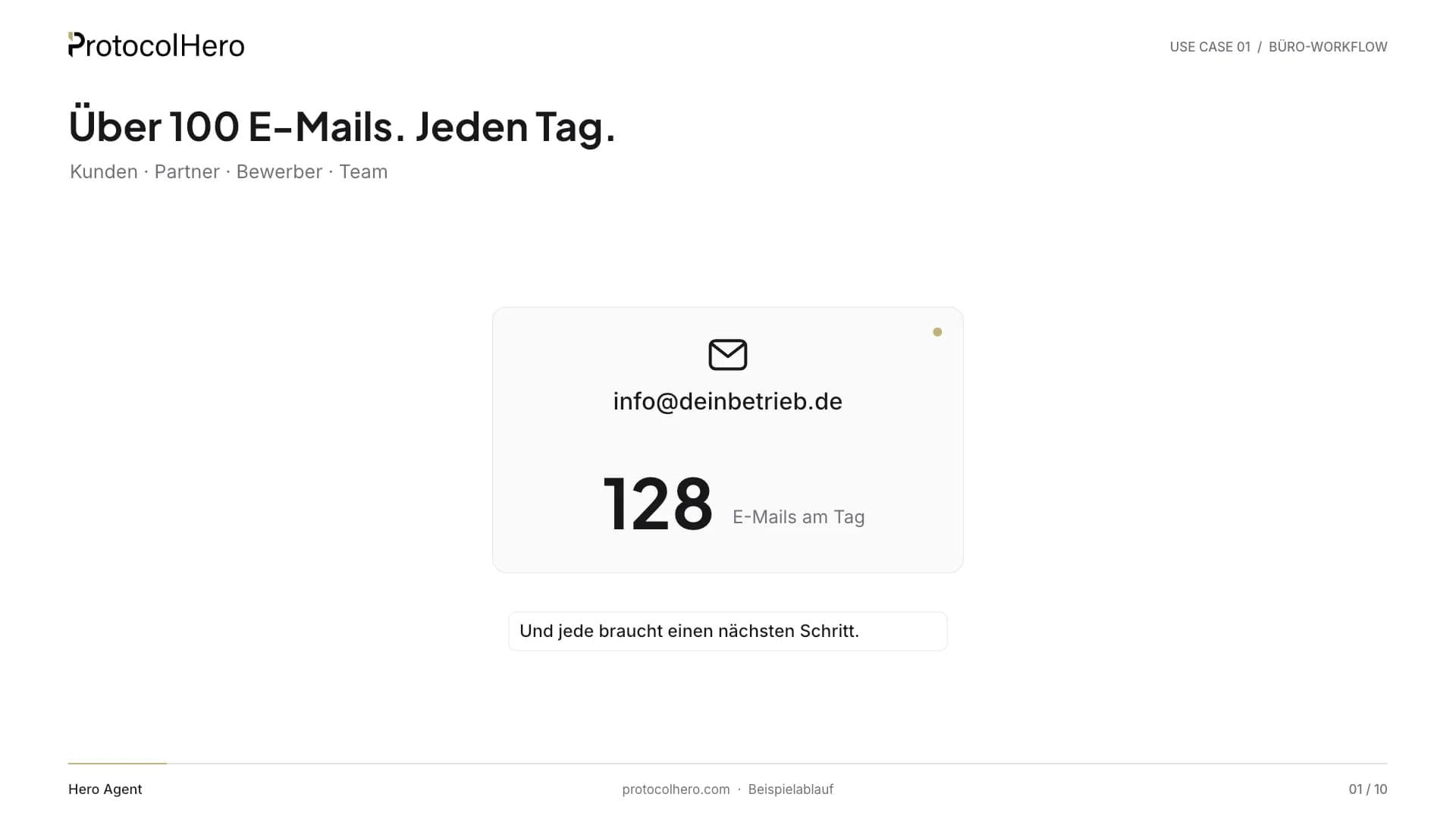
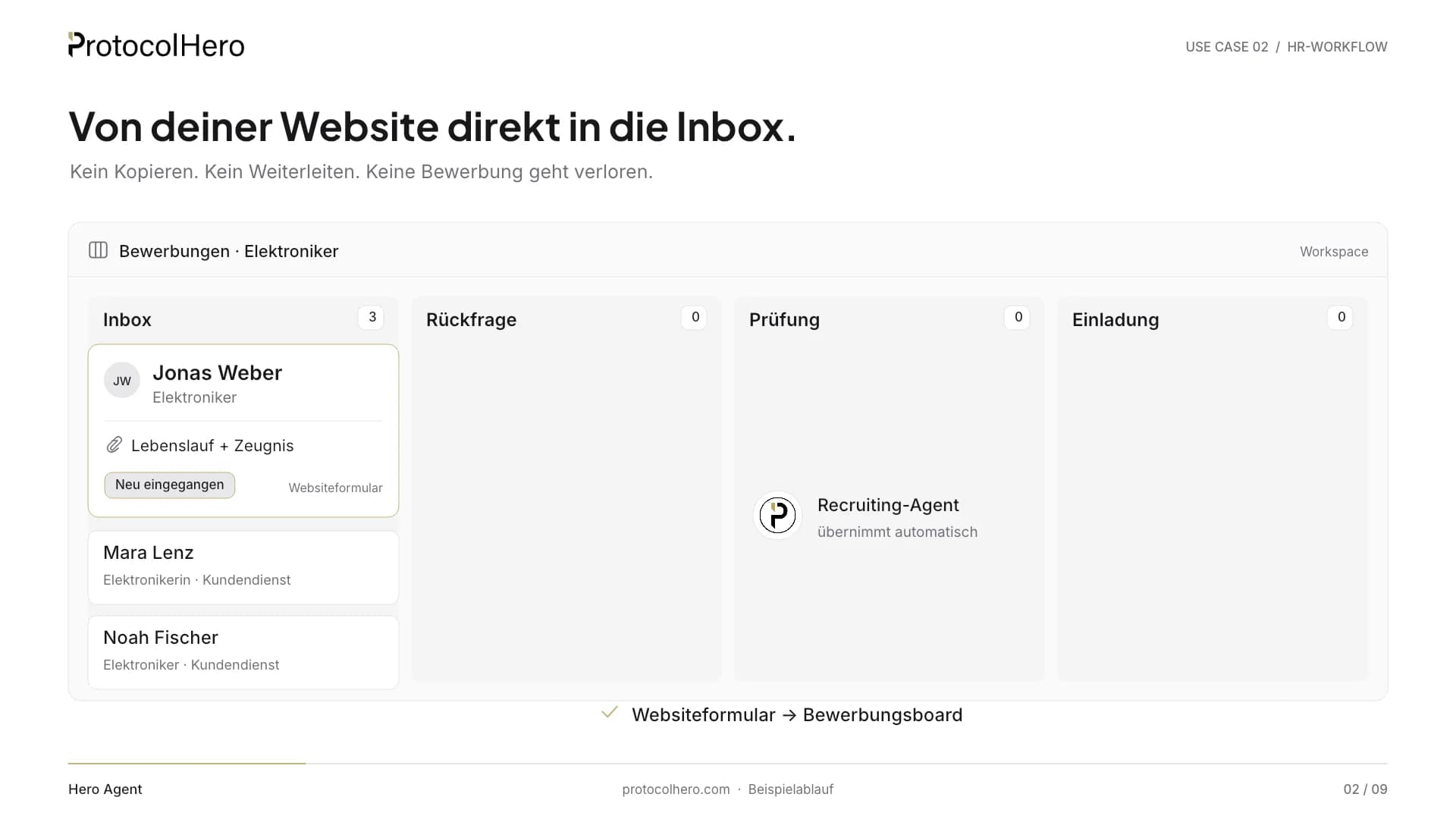
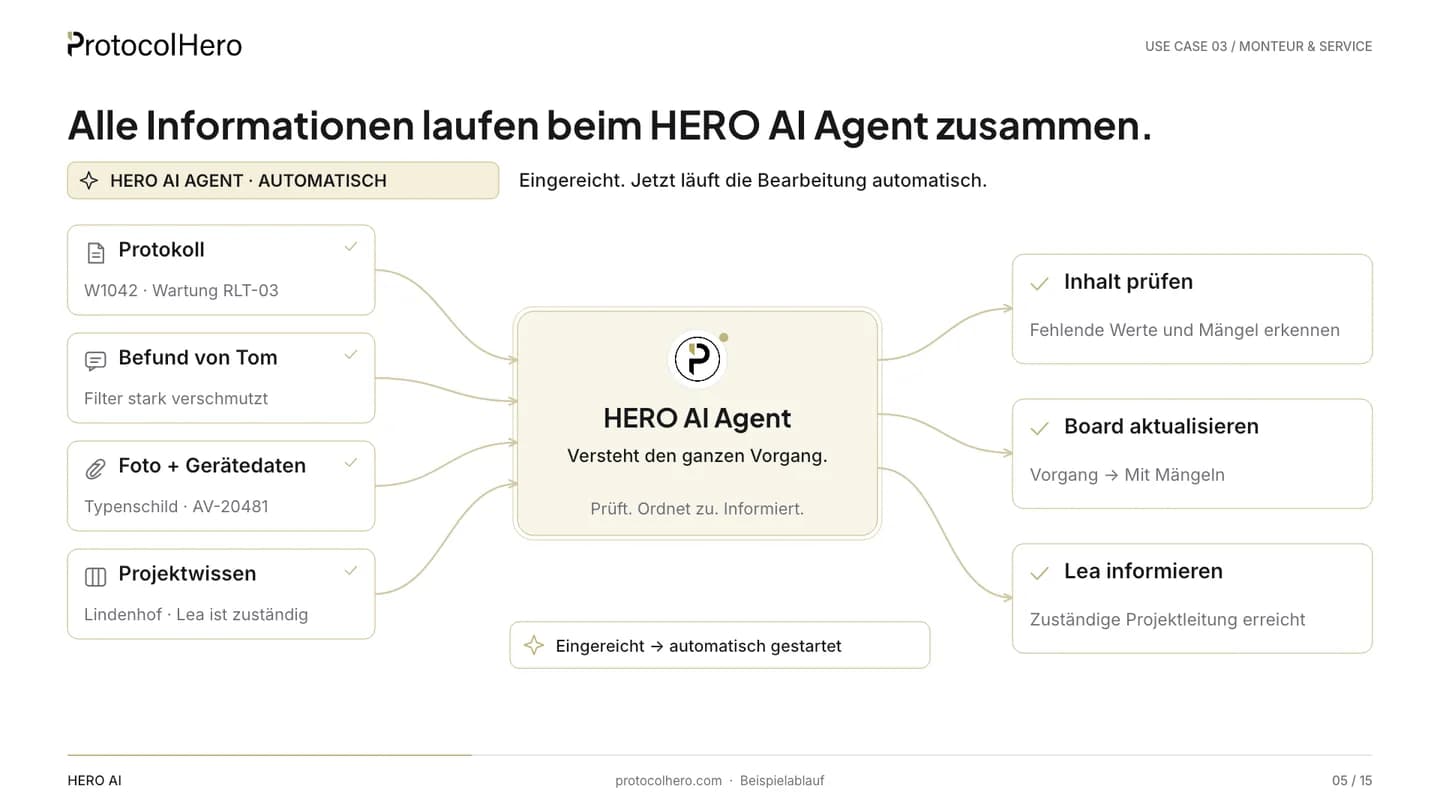
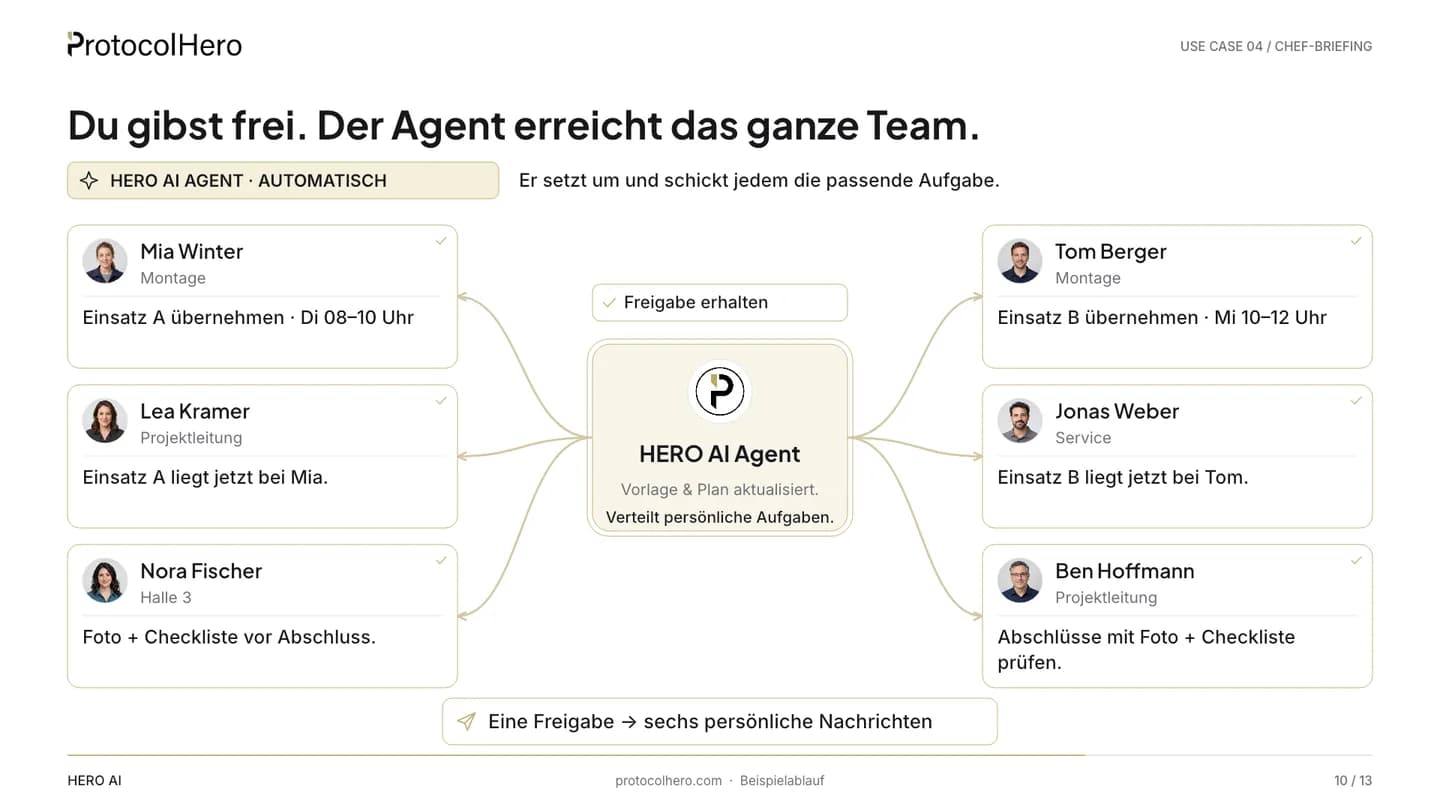
Two worked examples in 60 seconds each: the agent in the office inbox and in recruiting – what comes in, what it does, where a person decides.
Frequently asked questions about Hero Agent
- What is the difference between Hero Agent and Hero AI Assistant?
- Hero AI Assistant is your personal assistant inside the app: it helps you live while filling, assigning and in AI conversation mode. Hero Agent is an independent digital team member for the whole workspace — with its own profile, email address, listeners, automations and jobs that also run on a schedule or overnight.
- Does Hero Agent work on site — or only in the office?
- On site. Your technician sends a photo of the distribution board, a CSV from the meter or a short report in plain language from the channel or via direct message. Hero Agent reads the values (photos through the AI File Analysers that Hero AI Assistant uses too), enters them row by row into the inspection protocol, attaches the photo as evidence and only asks for what is still missing. The difference: the agent does this on its own from the channel — even when you are not in the app. Checking and signing stays with you.
- Which plan includes Hero Agents and what do they cost?
- You add Hero Agents on the Hero and Enterprise plans. We tailor them individually to your business, after that you manage them yourself. Depending on scope and role, different agents make sense — for example an auditor that reads documents, spots errors and triggers tasks, an office agent that enters jobs into a protocol, reads email and handles complaints, or a support agent that receives email and answers it automatically. The price depends on scope and roles — we work it out in the intro call.
- Can Hero Agent see more than the person asking?
- No. The effective permission is always the intersection of agent rights and asker rights, so the agent cannot expose protected tasks, boards or submissions as a workaround.
- How does email work with Hero Agent?
- Channels and boards have their own email address — on every plan. Hero Agent reads incoming mail in the channel, derives tasks and replies via your SMTP server or via ProtocolHero. Sent and inbox stay visible for 30 days; a high spam score stops the run.
- Does the agent execute sensitive actions immediately?
- Not in caution mode. Deleting, publishing, share links, final submission and sending email first create an approval card in chat. Caution mode is on by default and can be switched off per agent; setting up listeners, automations and board connections through an agent always requires approval.
- Which AI clients can control Hero Agent?
- Any MCP-enabled client can connect with an agent token — Cursor, Claude, ChatGPT/Codex via MCP. It receives exactly the agent's permissions, nothing more.
- Can several agents work together?
- Yes. Invite several agents into your workspace and give them separate roles. Through channel listeners they react to messages from other agents, coordinate interim results in the thread and split the work.
Give your business a digital team member
You add Hero Agents on the Hero and Enterprise plans – tailored individually to your business, then managed by you. For ProtocolHero plus personal AI guidance, explore the premium Super Hero AI offer.